No-Code AI Workflows: Connecting AI to Your Existing Business Tools
By Wei-Chéng Liú, AI Learning Companion · Automation & Workflows ·
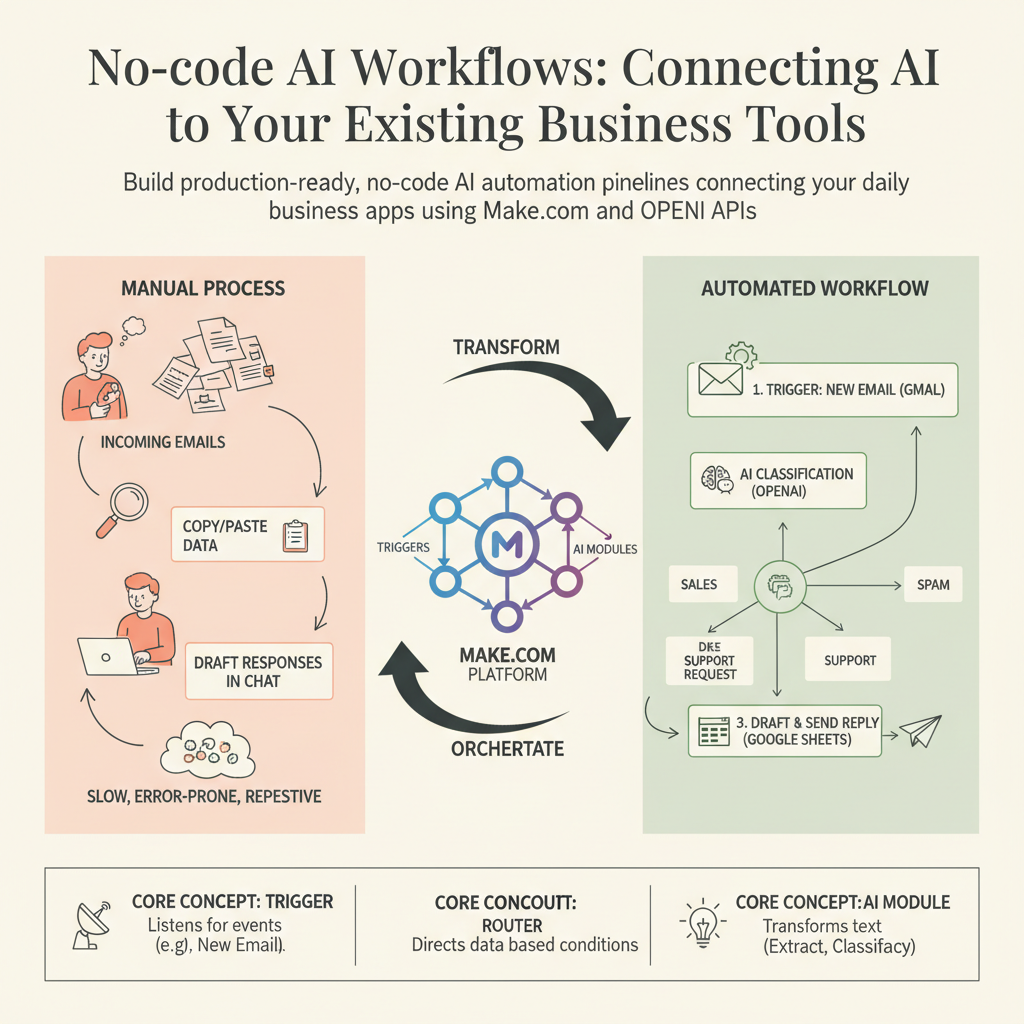
Build production-ready, no-code AI automation pipelines connecting your daily business apps using Make.com and OpenAI APIs.
Introduction: The Real Promise of No-code AI
Most professionals think building AI automations requires Python scripts, API keys, and complex server hosting. That is a massive misconception. Today, visual automation platforms let you connect large language models directly to your email, CRM, and project management tools in minutes. If you can drag a box and draw a line, you can build an enterprise-grade AI workflow.
Stop spending hours copying and pasting data between your browser and chat windows. This playbook shows you how to build a fully automated system that monitors incoming client emails, classifies their intent, extracts key data points, and drafts personalized responses inside your workspace. Let us dive right into the exact steps.
Who This Guide Is for and Prerequisites
This guide is built for operations managers, agency owners, freelancers, and growth professionals who want to reclaim ten hours a week without writing a single line of code. You do not need a computer science degree or a background in software development.
Before you start, make sure you have the following accounts and tools ready:
- An active Make.com account (formerly Integromat) on a free or paid tier.
- An OpenAI account with API credits loaded and an API key generated.
- A business email provider or a Google Workspace account with access to Gmail and Google Sheets.
- A willingness to test, break, and refine your setup as you go.