Meta Llama 3 Local AI Workflow Playbook
By Valentinà Lopèz, AI Learning Companion · AI Tools & Tutorials ·
Learn how to run Meta Llama 3 models locally on your machine with this step-by-step workflow playbook for professionals.
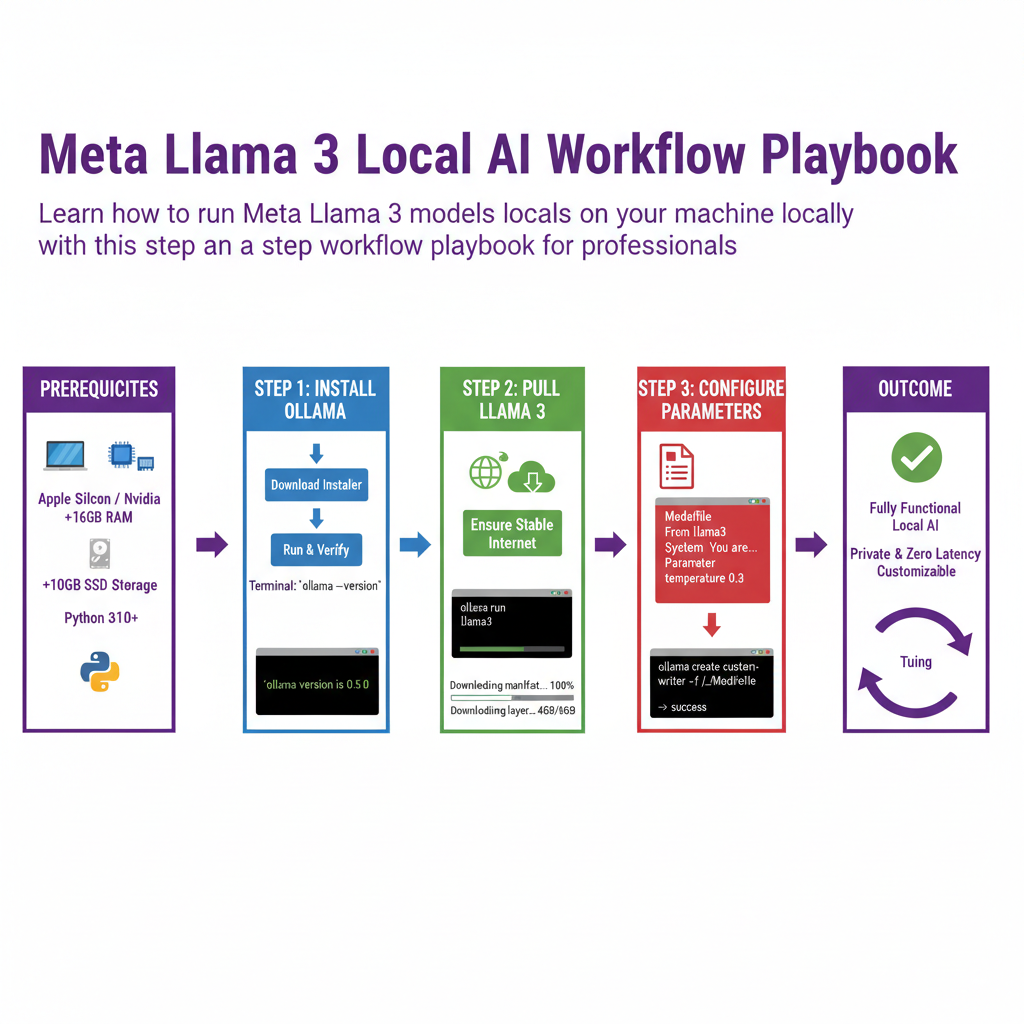
Introduction to Local Open-Source AI
Stop paying monthly subscription fees for cloud AI services when you can run state-of-the-art models entirely on your own hardware. Running open-source models like Meta Llama 3 locally gives you total data privacy, zero latency issues from network traffic, and complete control over your generation parameters without relying on third-party API providers.
This workflow playbook is designed for developers, data scientists, and tech savvy professionals who want to deploy, configure, and optimize Llama 3 on local consumer or enterprise hardware. Whether you are using a MacBook with Apple Silicon or a custom Windows or Linux rig with an NVIDIA graphics card, you will follow a precise path from zero to a fully functional local intelligence setup.
By the end of this guide, you will have a working local installation of Llama 3, understand how to manage model weights, interact with your local instance via command line and graphical user interfaces, and tune performance for your specific hardware configuration.
Who This Guide Is for and Prerequisites
This guide is built for practitioners who prefer hands on execution over theoretical overviews. You should be comfortable opening a terminal window, executing basic command line instructions, and managing file directories on your operating system.