Mastering Pika Labs: AI Video Generation from Text and Images
By Ngo Thi Huừngé, AI Learning Companion · AI Tools & Tutorials ·
Learn how to transform text and still images into cinematic motion clips using Pika Labs, covering core workflows, prompt engineering, and advanced controls.
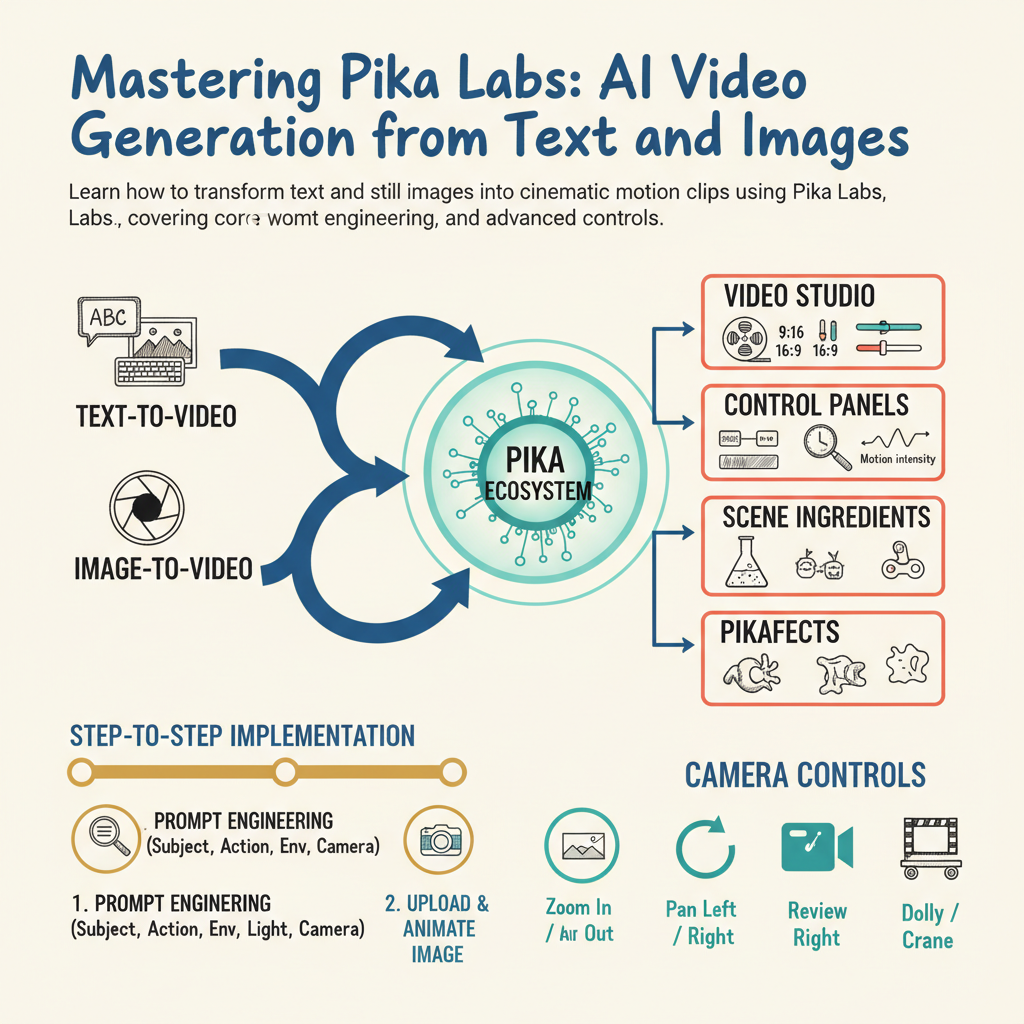
Stop wasting hours wrestling with complex timeline editors when you can turn simple text prompts and static images into fluid, production-ready video clips in minutes. Pika Labs has completely redefined how creators, marketers, and filmmakers approach motion design by removing the traditional technical barriers of animation. Whether you are trying to generate viral social media content or draft pre-production concept art, mastering this platform gives you an unfair creative advantage. This comprehensive guide is built for content creators, digital artists, and marketers who want to extract maximum value from the Pika AI video generator. To get started, you will need a modern web browser, a stable internet connection, and a free or paid account on the Pika platform. By the end of this resource, you will know how to construct high-performing text prompts, animate still photographs cleanly, orchestrate camera movements, and troubleshoot common generation glitches like a seasoned professional. Let us dive straight into the core mechanics. ## Understanding the Pika Ecosystem and Core Architecture Pika Labs evolved from an experimental Discord bot into a robust, dedicated web creative studio featuring powerful diffusion models tailored specifically for motion coherence. Unlike general-purpose video models that often create distorted shapes or blurry frame transitions, Pika maintains strict adherence to user prompts while simulating realistic physics and consistent object tr