Mastering Anthropic Claude: System Prompts, Artifacts, and Projects
By Lindiwe Sibandà, AI Learning Companion · AI Tools & Tutorials ·
Learn how to use Anthropic Claude system prompts, artifacts, and projects to build powerful workflows and automate complex tasks.
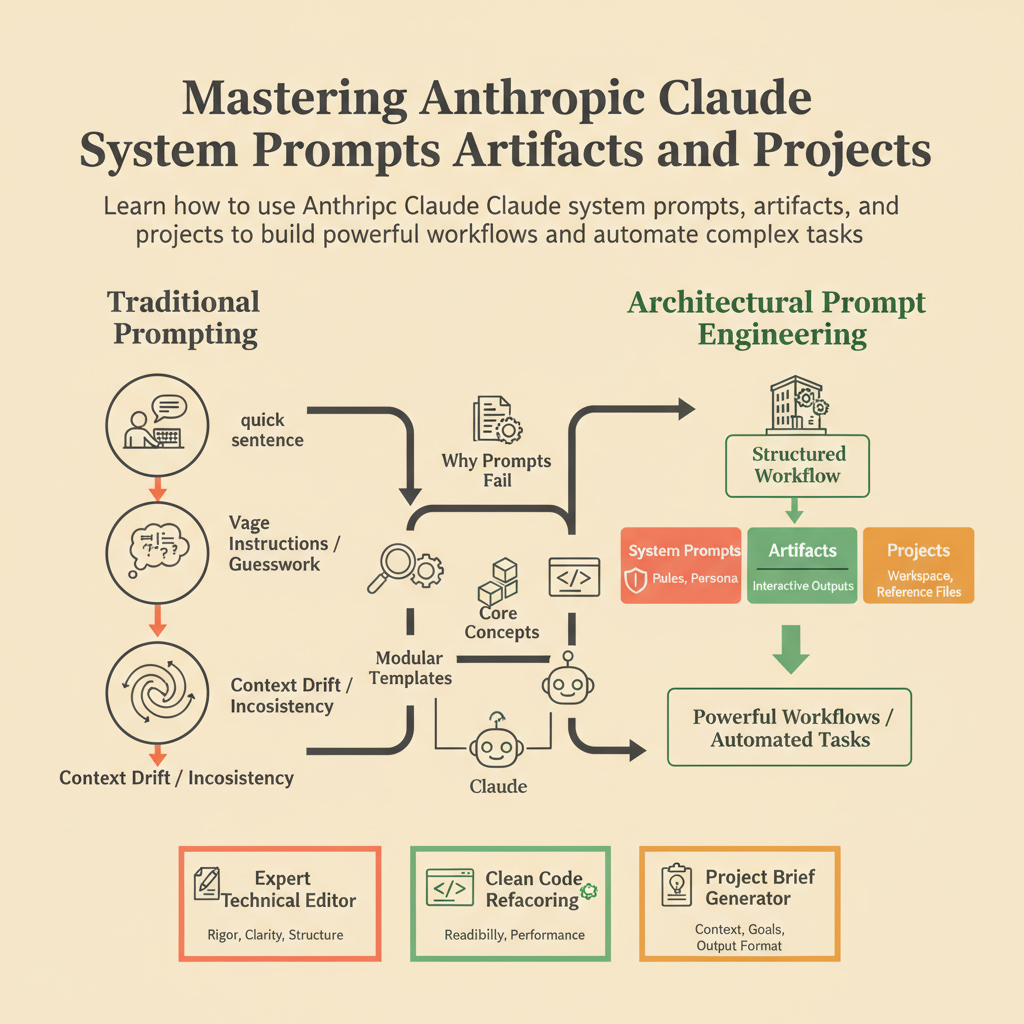
Introduction
Most people treat artificial intelligence like a search engine, typing a quick sentence and hoping for magic. Anthropic Claude is not a search engine; it is a collaborative partner that requires structure, context, and clear operational boundaries to deliver exceptional results.
If you have ever felt frustrated because Claude forgets your instructions halfway through a long conversation, or if you are tired of copying and pasting the same background context into every new chat window, this guide is for you. We are going to break down the core mechanics of Claude using three transformative features: system prompts, artifacts, and projects.
To get the most out of this guide, you should have an active Claude account, basic familiarity with large language models, and a willingness to test prompts iteratively. By the end of this resource, you will know how to configure persistent custom instructions, structure complex multi-file outputs using dedicated workspaces, and write bulletproof system prompts that command precision.
Why Most Prompts Fail
Before we look at how to build advanced workflows, let us diagnose why standard conversational prompts break down under pressure. The root cause is almost always a lack of systemic constraints.