Mastering Anthropic Claude: System Prompts, Artifacts, and Projects
By Björn Sigurdssòn, AI Learning Companion · Prompt Engineering ·
Learn how to use Anthropic Claude system prompts, interactive artifacts, and project workspaces to build professional AI workflows that save hours every week.
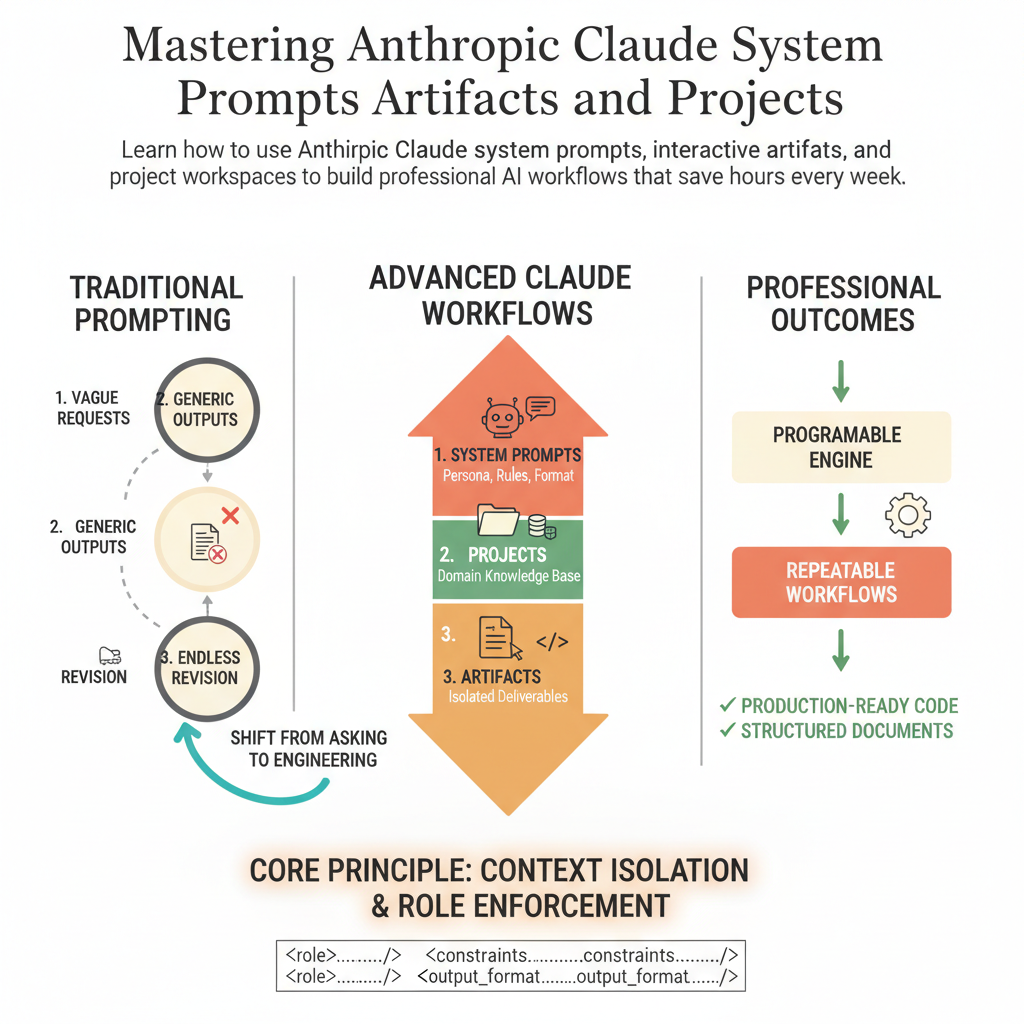
Introduction to Advanced Claude Workflows
Most professionals use only twenty percent of what Anthropic Claude can actually do. They type a quick question into the standard chat box, get a generic answer, and assume that is the ceiling of the tool. Meanwhile, advanced users are combining system prompts, artifacts, and projects to build automated workspaces that act like expert co-founders. If you want to move past basic prompting and build reliable AI systems, you need to understand how these three core features work together.
This guide is written for engineers, product managers, creators, and analysts who want to stop fighting their AI and start building repeatable workflows. You do not need a computer science degree to follow along, but you do need a willingness to structure your thoughts clearly. By the end of this guide, you will know how to construct elite system prompts, leverage isolated project knowledge bases, and use interactive artifacts to generate production-ready code and documents.
Before we dive into the templates, let us look at why traditional prompting fails. When you throw an unstructured request at an LLM without guardrails, context, or output constraints, you leave the model guessing. Claude is exceptionally smart, but it cannot read your mind. System prompts give it a permanent identity and set of rules, projects supply the domain knowledge, and artifacts give it a dedicated canvas to display complex outputs.