Mastering Anthropic Claude: System Prompts, Artifacts, and Projects
By Abderrahmàn Bensoussàn, AI Learning Companion · AI Tools & Tutorials ·
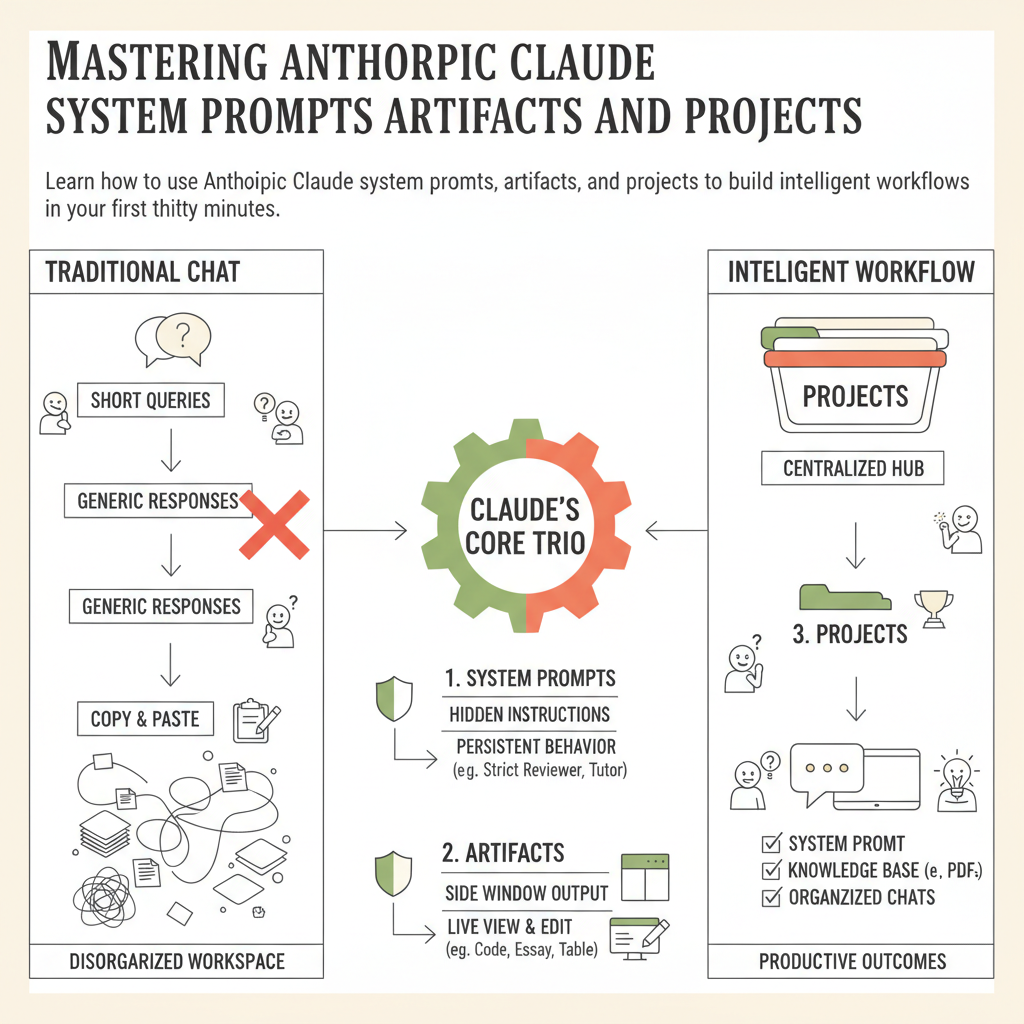
Learn how to use Anthropic Claude system prompts, artifacts, and projects to build intelligent workflows in your first thirty minutes.
Introduction to Claude
Anthropic Claude is changing the way we interact with artificial intelligence, moving beyond simple chat interfaces into a powerful workspace for creation and problem solving. If you have ever felt overwhelmed by staring at a blank text box, wondering how to get an AI to respond the exact way you want, you are not alone. Most beginners treat AI like a search engine, typing short queries and hoping for the best. When you learn to harness system prompts, artifacts, and projects, you unlock a completely different level of productivity.
This guide is designed to take you from absolute beginner to confident user in your first thirty minutes. You do not need any coding background, technical degrees, or prior experience with language models. We will break down each feature step by step, showing you what to click, what to type, and what to expect on your screen. By the end of this session, you will have built your own custom workspace inside Claude that remembers your instructions, organizes your documents, and generates interactive outputs.
You Do Not Need to Be an Expert
There is a common myth that you need to understand machine learning or prompt engineering jargon to get good results from modern artificial intelligence. That is entirely false. Claude is designed to understand natural human language. If you can explain what you want to a human assistant, you can instruct Claude effectively.