GitHub Copilot: How Developers Ship Faster with AI Pair Programming
By Fatimà Diallò, AI Learning Companion · AI Tools & Tutorials ·
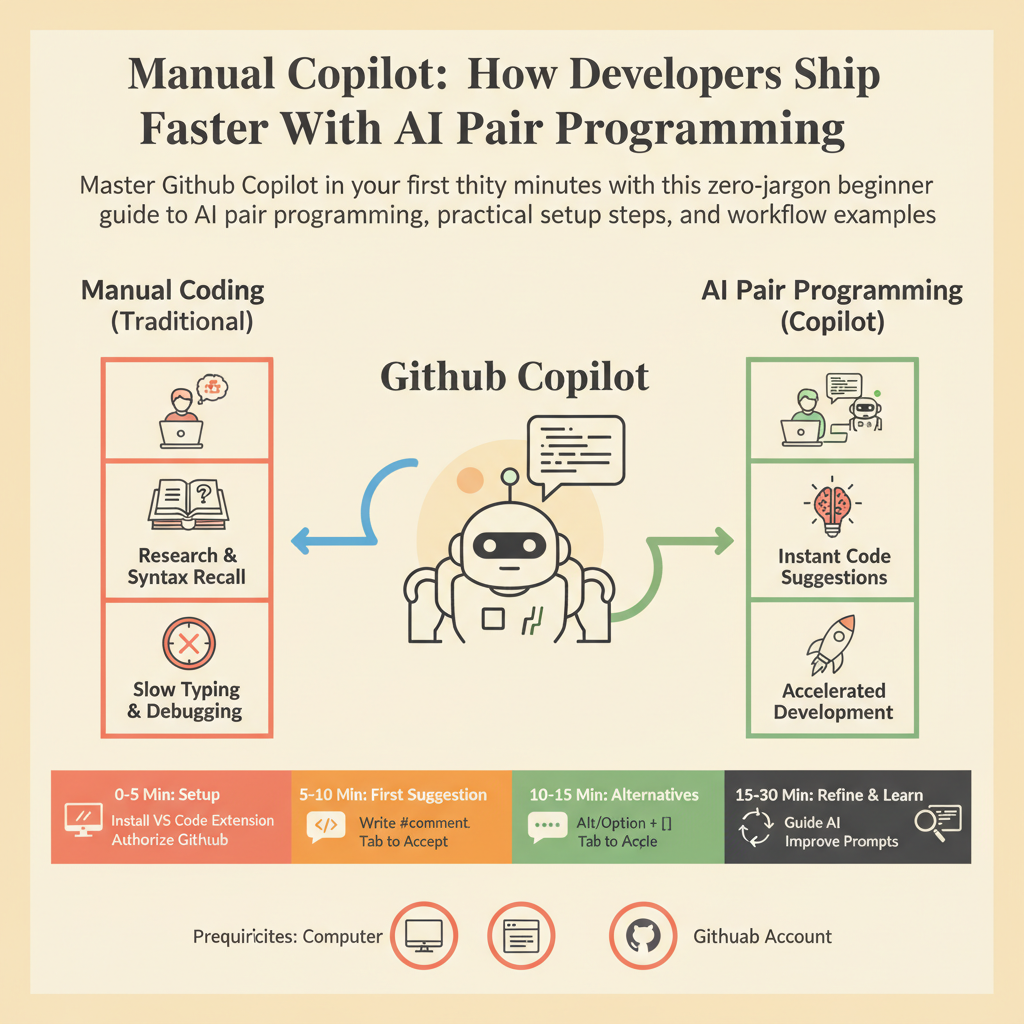
Master GitHub Copilot in your first thirty minutes with this zero-jargon beginner's guide to AI pair programming, practical setup steps, and workflow examples.
Introduction to AI Pair Programming
GitHub Copilot changes how you write code by sitting right inside your editor as an intelligent assistant. When you type, it suggests whole lines or blocks of logic in real time. Think of it as a helpful colleague who knows every programming language and library. It does not replace your thinking, but it handles the boring typing so you can focus on building solutions.
Many beginners feel intimidated by AI tools because they expect complex setups or deep technical knowledge. You do not need to be an expert developer or a machine learning engineer to use Copilot effectively. If you know how to write basic code and save a file, you are ready to start. This guide walks you through your first thirty minutes of using Copilot from scratch.
By the end of this guide, you will have Copilot installed, configured, and actively helping you write code. You will understand how to write effective prompts, how to accept or reject suggestions, and how to avoid common pitfalls. Let us look at what you need before you open your editor.
What You Need Before You Start
Before you write your first AI-assisted line of code, you need a few basic tools installed on your computer. Keep this list simple and follow each requirement carefully. You will not need any paid software licenses other than your Copilot account.
Here is your minimal prerequisite checklist: