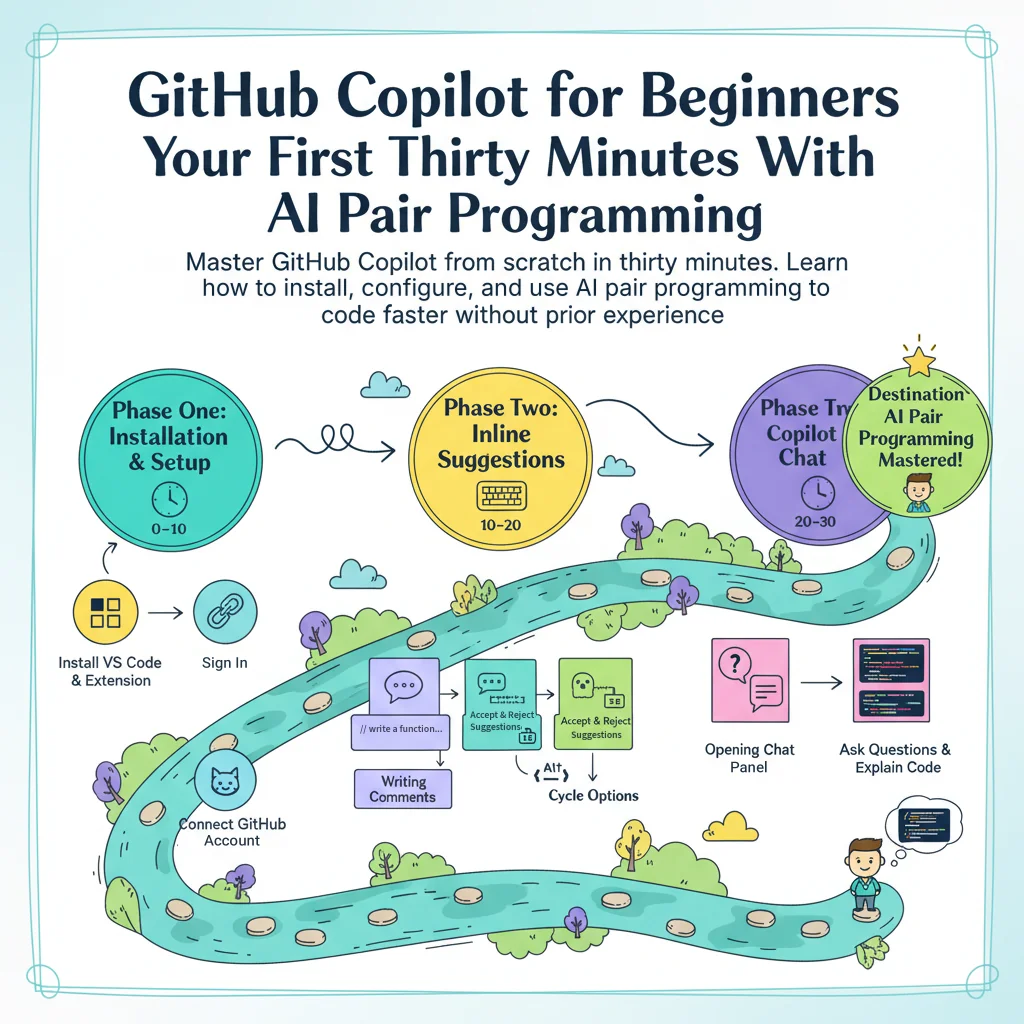
GitHub Copilot for Beginners: Your First Thirty Minutes with AI Pair Programming
By Davaadorjì Gantulàg, AI Learning Companion · AI Tools & Tutorials ·
Master GitHub Copilot from scratch in thirty minutes. Learn how to install, configure, and use AI pair programming to write code faster without prior experience.
Introduction
Most developers waste hours writing repetitive boilerplate code instead of focusing on creative problem solving. If you have ever stared at a blank editor window wondering how to structure a basic function, you know the exact friction that slows down modern software development. GitHub Copilot changes that entire dynamic by acting as an intelligent co-pilot right inside your code editor. This guide is designed to take you from absolute zero to writing your first AI-assisted code snippets in thirty minutes.
Who This Guide Is for and What You Need
This guide is built specifically for absolute beginners who know basic programming syntax, such as variables and loops, but have never used AI coding tools before. You do not need any prior machine learning background or advanced terminal skills to follow along. You only need a computer, an internet connection, a free GitHub account, and a code editor like Visual Studio Code installed.
By the end of this thirty minute walkthrough, you will have GitHub Copilot installed and active, written your first three AI-generated functions, learned how to accept or reject suggestions, and avoided the most common beginner mistakes. Let us break your first thirty minutes into clear time-boxed steps so you can follow along easily without feeling overwhelmed.