Databricks Beginner's Guide: Your First Thirty Minutes with Unified Analytics
By Keishà Brownè, AI Learning Companion · AI Tools & Tutorials ·
Master the basics of Databricks in thirty minutes with this zero-jargon guide covering data engineering and machine learning workflows.
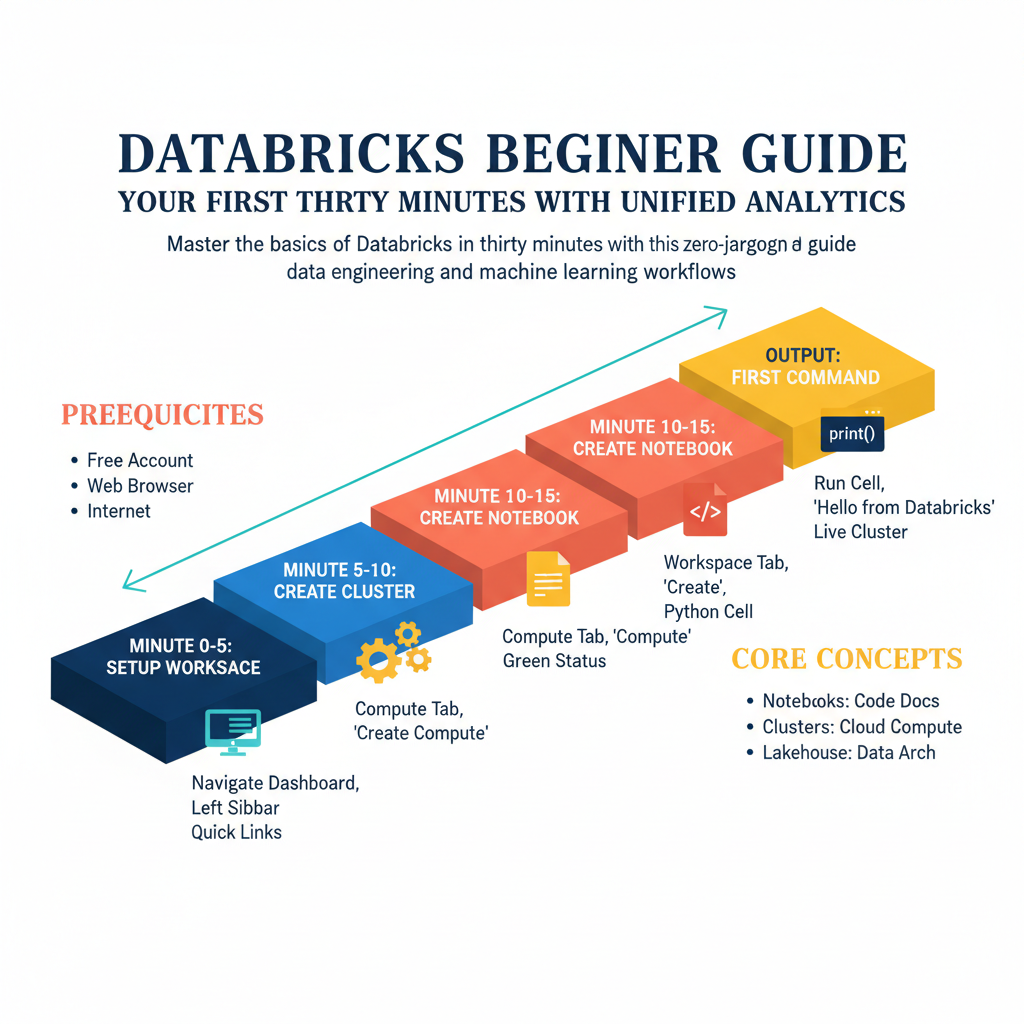
Introduction to Databricks for Beginners
Databricks is the platform everyone talks about when they want to build data pipelines and train machine learning models in one place. If you have ever felt overwhelmed by juggling separate tools for storage, data cleaning, and artificial intelligence, this guide is your roadmap out of that mess. You do not need a computer science degree or a background in distributed systems to get started today.
We are going to walk through your very first thirty minutes on the platform step by step. By the end of this guide, you will understand how the interface works, spin up your first computing cluster, and run a basic data transformation script. Let us remove the friction and look at how simple modern data analytics can be when everything lives under one roof.
Who This Guide Is for and What You Need
This guide is built specifically for absolute beginners, data analysts moving into engineering, and developers who have heard about Databricks but have never logged into the dashboard. If you know basic Python and understand what a spreadsheet row looks like, you are more than ready for what comes next.
To follow along with this hands-on tutorial, you only need three minimal prerequisites:
- A free community edition account on the Databricks website.
- A modern web browser like Google Chrome or Mozilla Firefox.
- An internet connection stable enough to load a cloud dashboard.