AI-Powered Photography: Editing, Retouching, and Style Transfer Workflows
By Yildizè Demirèl, AI Learning Companion · AI Tools & Tutorials ·
Master modern AI tools to automate retouching, speed up culling, and transfer artistic styles while keeping total creative control.
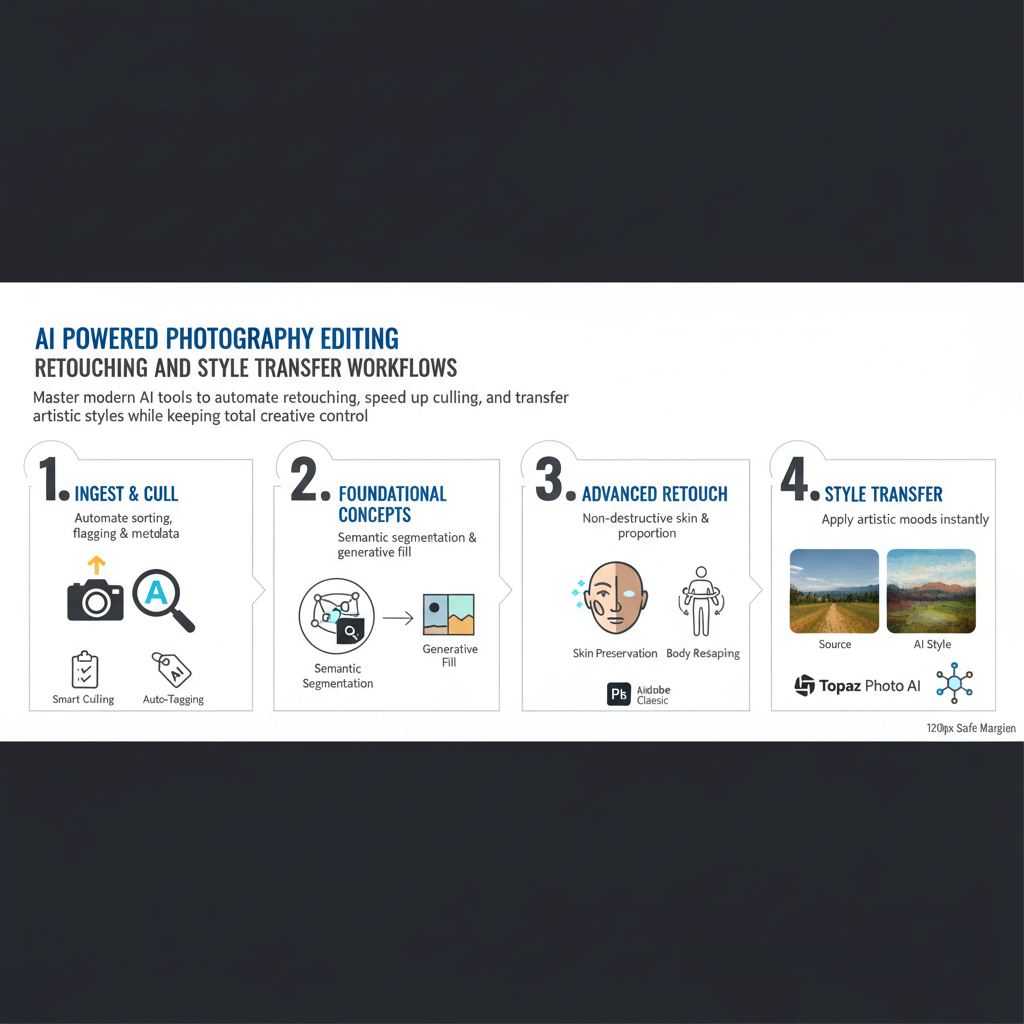
Introduction to Modern AI Photography Workflows
Photography has entered an era where machine learning algorithms handle the most tedious parts of digital darkroom work. If you spend more time masking skies than capturing moments, your editing process needs an upgrade. This guide details how to integrate artificial intelligence into your daily workflow without sacrificing your unique artistic voice.
Who This Guide Is for
This resource is built for professional photographers, studio owners, and advanced hobbyists who process hundreds of RAW files weekly. Whether you shoot weddings, commercial campaigns, or fine art portraits, these workflows will help you cut processing time in half. You will learn how to automate repetitive tasks while retaining complete granular control over final pixel adjustments.
Prerequisites and Tools Needed
To follow this implementation guide effectively, you should already understand basic exposure theory, color spaces, and manual masking. You will need a subscription to industry standard software featuring native neural network filters. Specifically, we will reference Adobe Lightroom Classic version 13 and above, Adobe Photoshop, Topaz Photo AI, and specialized neural style transfer platforms.